
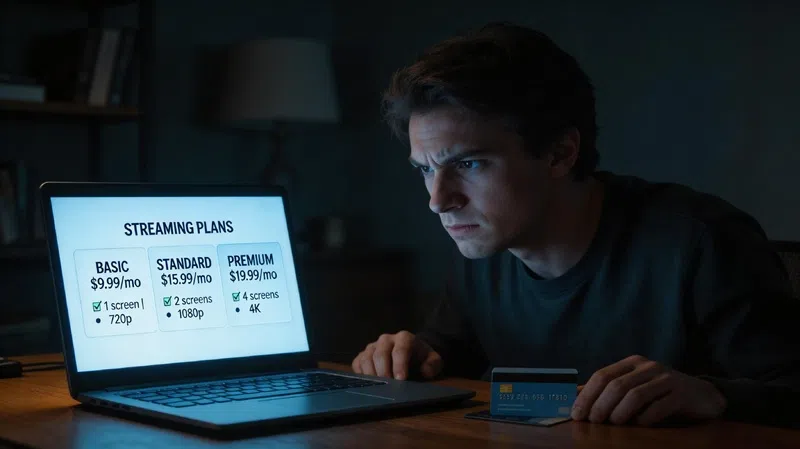
I’ve been staring at my bank statement lately, and honestly, that monthly charge for the “Main Plan” is starting to feel less like a convenience and more like a second car payment. I remember when the whole point of cutting the cord was to get away from the bloated hundred-dollar cable bills, but somehow, we’ve ended up right back where we started, just with a different logo on the screen. I finally got fed up enough to actually dig into those new, cheaper tiers everyone’s been whispering about, and let me tell you, it’s a bit of a journey to actually get there without losing your mind—or your favorite recordings.
I just wanted to save ten bucks without having a total meltdown.
Why the Mobile App Will Waste Your Time
The first thing I realized is that if you try to do this from your phone while you’re sitting on the couch, you’re probably going to think the new plans don’t even exist. I spent way too long tapping around the mobile app, getting more frustrated by the second because it kept showing me the same old stuff, until I finally gave up and dragged myself over to the actual computer. You have to go to the web browser version—tv.youtube.com—and sign in there to see the real “Explore Plans” section. It feels like a weirdly intentional hurdle, or maybe the app just hasn’t caught up yet, but either way, don’t waste your time with the app.
The Family Manager Problem Nobody Warns You About
And for some reason, if you aren’t the “Family Manager”—the person who originally set up the whole account—you’re basically locked out of making any changes anyway.
It’s one of those things I always forget about until I’m halfway through trying to fix something, and then I have to go hunt down the login for the primary account holder. It’s a bit of a chore, but once you’re actually in the settings on a real browser, you start to see that there’s actually a dozen or so different ways to slice the subscription now. I used to think it was just one big bucket of channels, but they’ve finally broken it down into these four main categories: live sports, entertainment, news, and then the family-focused stuff.
The locals are still there in every plan, which is a relief because I can’t live without the morning news, but they don’t let you pick individual channels like an a la carte menu.
How They Hide the Cheapest Plans From You
When you first get to the “Find a Plan” screen, the service tries to be “helpful” by recommending a plan at the top, but in my experience, that recommendation is usually one of the more expensive ones. They showed me a sports and news combo right off the bat, which was okay, but I had to scroll all the way to the bottom and click around to find the really cheap options that they were kind of hiding. I actually found a sports-only plan that was way better for what I needed, but I wouldn’t have even seen it if I hadn’t gone digging past their initial suggestions.
It’s almost like they’re hoping you’ll just click the first thing you see and move on with your life.
One thing that really tripped me up while I was looking at the channel lineups was how they display them. Instead of a nice, easy-to-read list of text, it’s all these little graphics and logos. If you’re like me and you don’t recognize every single network logo by sight, it’s a total pain to scroll through hundreds of little icons. I found it way easier to use the filters to narrow things down by category, like “Sports” or “Locals,” just so I could actually see what I was getting without getting a headache from squinting at the screen.
The Billing Trap You Need to Understand First
Once you actually pick a new plan and hit “Select,” that’s when the real math starts, and it’s where things get a little bit messy with the billing cycle.
Normally, when you change a subscription, you expect it to wait until the end of the month, but this service just switches you over right that second. It’s immediate. For example, if your bill usually hits on the 28th and you decide to switch your plan on the 9th, your new billing date for the entire service becomes the 9th from then on. They do give you a credit for the remaining time on your old plan, which showed up as a line item on my screen, but there’s a catch in the fine print that actually worried me a bit.
The system says those credits only apply to the current purchase and won’t carry over to future months.
So, if you have a massive credit because you switched halfway through a month, and that credit is more than the cost of your new, cheaper plan, you might actually lose the “leftover” part of that money because it doesn’t roll over. It’s a bit of a “use it or lose it” situation, which feels a little unfair, but I guess that’s how they handle the pro-rating. Interestingly, any add-ons you have—like those extra movie channels—don’t follow this new billing date; they stay on their original cycle, which just makes the whole statement look like a jigsaw puzzle.
Warning: Your Promotional Rate Will Disappear Forever
But the biggest warning I have—and I cannot stress this enough—is about your promotions.
I had a really good discount on my main plan that I’d been riding for a few months, and the second I hit that switch button, that promo was gone for good. The system is very clear about it: if you’re on a promotional rate and you change your plan, you forfeit the discount. I honestly debated if the new lower price was even worth losing the promo for, and I think for most people, the smartest move is to wait until your discount period ends naturally before you touch anything.
It’s a balancing act, and if you time it wrong, you might end up paying more in the long run just to get a “cheaper” plan.
What Happens to Your DVR Library
Then there’s the whole DVR situation, which is probably the most annoying part of the entire process if you’re a creature of habit. You still get the unlimited storage and the family sharing features, but the actual content in your library is tied strictly to the channels in your current plan. I switched over to a sports-only plan just to see what would happen, and when I went to my library to watch a show I’d recorded from an entertainment channel, I got a big “Video Not Available” error message.
It’s still sitting there in the library, but you just can’t watch it because you don’t “own” that channel anymore.
If you realize you’ve made a huge mistake and you desperately need to see that finale you recorded before you switched, you have about 21 days to “re-upgrade” back to your old plan to get access to those recordings again. After that three-week window, I’m not sure what happens, but it feels like a ticking clock. It’s a bit of a gut punch to see your library full of stuff you can’t actually play, so you really have to be sure you’re okay with letting go of your old recordings before you commit to the switch.
Switching vs. Canceling: They’re Not the Same Thing
I used to think that “switching” and “canceling” were basically the same thing in the eyes of the company, but they treat them very differently.
When you go into the “Manage” settings and look at the cancellation options, they’ve now added this big highlight for the new, cheaper plans right above the “Pause” or “Cancel” buttons. It’s a classic “save” tactic—they’re basically saying, “Wait, don’t leave! Look, we have this $40 option you didn’t know about!”. But the timing is the key difference: switching plans is instant, whereas if you actually choose to cancel or pause, that doesn’t take effect until the very end of your current billing cycle.
You can try to call support to get them to remove your access and give you a refund immediately, but in my experience, that’s almost never how it works.
They generally don’t do partial refunds unless something is seriously wrong, so if you’re planning on quitting entirely, you’re usually stuck with the service until the month runs out. Switching, on the other hand, is like ripping off a Band-Aid; you get the new price and the new channels the moment you click the button. It’s a lot to keep track of, especially when you’re just trying to trim some fat off your monthly expenses, and I’m still not 100% sure I picked the perfect combination.
I guess the reality is that the “Main Plan” isn’t the only game in town anymore, which is good, but you have to be willing to navigate a bit of a minefield to get the savings. I’m still mourning a few of my old recordings, but seeing that lower number on my next bill might make the “Video Not Available” messages a little easier to swallow.
Sometimes you just have to decide what your favorite shows are actually worth to you.