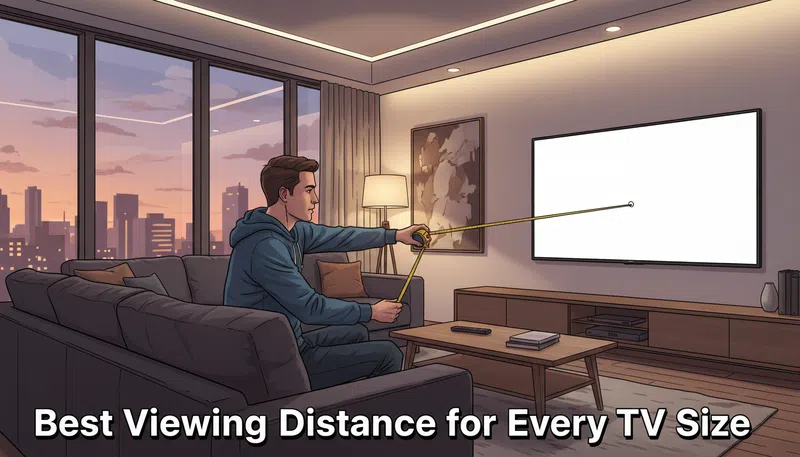

I’ll be honest — I spent years just guessing. You buy a TV, you put your couch where it fits in the room, and that’s basically the end of the thought process. The best viewing distance for your TV wasn’t something I thought about seriously until I started noticing that certain movie scenes just felt… wrong. Too flat. Or I kept unconsciously leaning forward, which is a sign that something is off.
Turns out there’s actual science behind this. Not the kind of science that requires a degree, but the kind that takes about four minutes to understand and makes a real difference.
Why Distance Actually Matters
The human eye has a resolution limit. For someone with standard 20/20 vision, the threshold for picking up fine detail sits at roughly one arcminute — which is 1/60th of a degree. That number sounds abstract, but here’s what it means practically: if you sit too close to a lower-resolution screen, you start to see the individual pixels arranged in a grid. It’s what people call the “screen door effect,” and once you notice it, it’s hard to unsee. On the other end, sit too far away and you’re basically throwing money at a 4K display while your eyes perceive it as 1080p anyway.
The sweet spot exists, and it’s more specific than most people realize.
There are two major standards worth knowing about. SMPTE recommends a viewing angle of around 30 degrees for general mixed usage — the kind of setup where you’re half-watching a documentary while also on your phone. THX, on the other hand, targets 40 degrees for a fully cinematic experience. In my experience, the 40-degree setup feels noticeably more immersive during films, and the 30-degree version is more relaxed for casual TV.
The Best Viewing Distance for TV — By Screen Size
For a 4K UHD display, the math is straightforward: multiply the diagonal screen size (in inches) by 1.2 for a cinematic experience, or by 1.6 for casual mixed usage. That gives you the distance in inches, which you can convert to feet or meters.
| TV Size | Casual / Mixed Use (1.6×) | Cinematic 4K (1.2×) | Best for |
|---|---|---|---|
| 43″ | 1.8 m (5.9 ft) | 1.3 m (4.3 ft) | Small bedroom or office |
| 55″ | 2.3 m (7.5 ft) | 1.7 m (5.5 ft) | Average living room |
| 65″ | 2.7 m (8.9 ft) | 2.0 m (6.5 ft) | Spacious lounge setup |
| 75″ | 3.1 m (10.2 ft) | 2.3 m (7.5 ft) | Open-plan room |
| 85″ | 3.5 m (11.6 ft) | 2.6 m (8.5 ft) | Dedicated home cinema |
These numbers come from the 4K standard specifically. A 4K screen can handle closer viewing because the pixel density is high enough that your eye simply can’t resolve individual pixels at normal distances. With a Full HD (1080p) panel, you’d want to sit further back — roughly 1.5× to 2.5× the diagonal — to avoid seeing that pixel grid. And 8K? The honest answer is that 8K’s extra resolution only pays off at very close range, like sitting about 3 feet from a 65-inch screen, which most people simply don’t do.
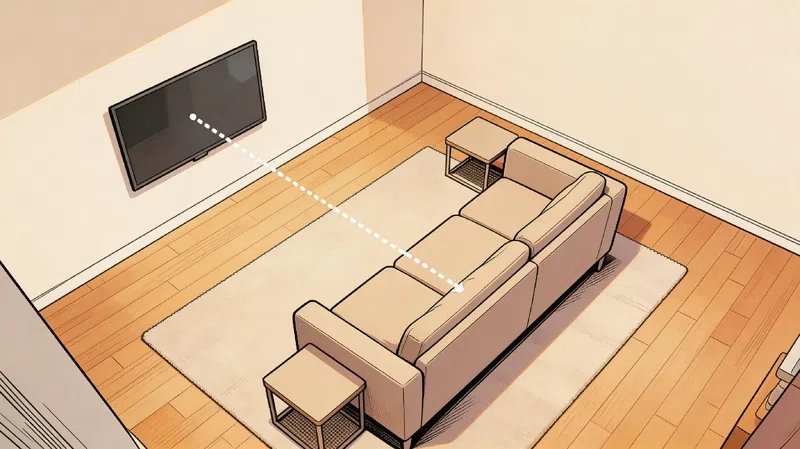
Height Matters More Than Most Guides Tell You
The neck strain nobody warns you about
Getting the distance right and then mounting the TV too high is a surprisingly common mistake. I used to think mounting above a fireplace looked great — it kind of does, aesthetically. But after a few two-hour films with your neck tilted upward at 20 or 25 degrees, you start to feel it. Ergonomics experts recommend keeping the upward tilt at a maximum of 15 degrees, and ideally the center of the screen should align with your eyes when you’re actually seated — not standing in the room measuring.
Sit down. Take that measurement. It makes a bigger difference than you’d expect.
Eye level is your anchor point
When seated, your eyes should line up with roughly the center or the lower third of the screen. Larger TVs on walls in bigger rooms look lower than they are, which sometimes means mounting them slightly higher than eye level to compensate for the visual angle at a distance. It sounds contradictory — but honestly, that’s not always intuitive until you’ve done it wrong once.
What Resolution Does to the Equation
This part trips people up. Resolution and viewing distance aren’t independent — they’re directly linked. The reason 4K viewing distance recommendations are shorter than old 1080p guides is that 4K packs four times the pixels into the same screen area. Your eye can resolve all that detail without perceiving a pixel grid, even up close. That’s genuinely why a 65-inch 4K panel at 6.5 feet looks sharp, while a 65-inch 1080p set at the same distance might start to show its structure.
According to research from RTINGS, who have done extensive testing on perceived sharpness thresholds, the pixel-level difference between 4K and 8K only becomes visible to the average viewer at distances that are genuinely impractical for most living rooms. Something to keep in mind if you’re being upsold on an 8K set.
The Lighting Side of the Problem
There’s one adjustment that doesn’t get enough attention in these conversations: bias lighting. It’s a simple LED strip placed behind the TV that provides a soft ambient glow. The reason it works is that it reduces the contrast ratio between the bright screen and the dark wall behind it, which takes a lot of strain off your eyes during long sessions. The THX setup guidelines actually recommend it as part of a proper home viewing configuration.
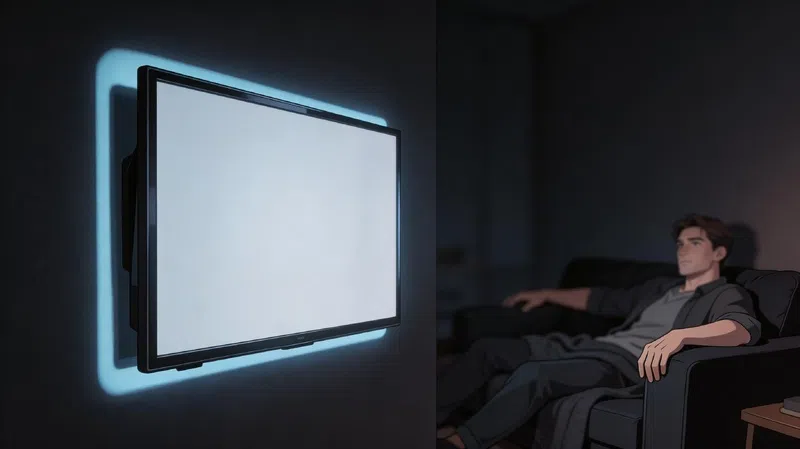
Also worth mentioning: most TVs ship in “Vivid” or “Dynamic” mode, which is calibrated for a bright showroom floor, not a home environment. Switching to “Cinema” or “Calibrated” mode tends to give more natural colour reproduction and lower the overall light output, which pairs better with bias lighting and a properly distanced setup.
A Quick Note on Eye Fatigue
One thing I started doing after reading about the 20-20-20 rule — which comes out of optometry — is taking brief breaks during longer sessions. Every 20 minutes, look at something roughly 20 feet away for about 20 seconds. It sounds almost too simple. It’s one of those recommendations from optometry associations that keeps reappearing because it actually does something useful for eye muscle fatigue, especially in darker rooms with a bright screen.
The final setup also depends heavily on what you’re watching. Action films and sports benefit enormously from being at the closer, cinematic distance — that’s where the sense of presence really kicks in. For a talk show or news broadcast? Honestly, sitting a bit further back doesn’t take anything away. The immersive quality of a screen seems to be most tied to movement and POV-style shots, which is why sports at close range just feels different.
If you’re currently sitting wherever your furniture happens to land — which, to be fair, is most people — it might be worth running the numbers on your specific setup. The calculation takes 30 seconds and the results can genuinely change how a room feels.
Further reading: RTINGS TV Distance Calculator · THX Home Setup Guide · SMPTE Standards · AOA Eye Strain Guidelines