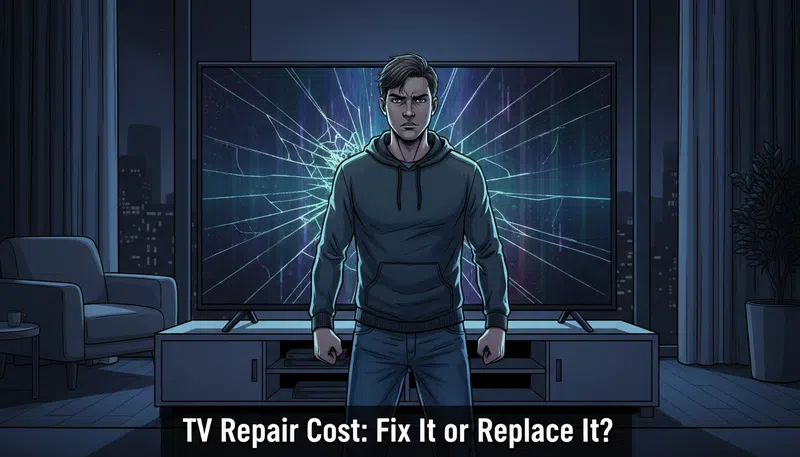

There’s a specific kind of dread that hits when you walk into the room and your television has lines running across it. Not a flicker, not a glitch — actual permanent-looking lines, sitting there like a verdict. Your first instinct is probably to start mentally calculating what a replacement would cost. I get that. I’ve been there. But if you do that before spending five minutes actually diagnosing the problem, you might be making the most expensive decision of your week for no reason.
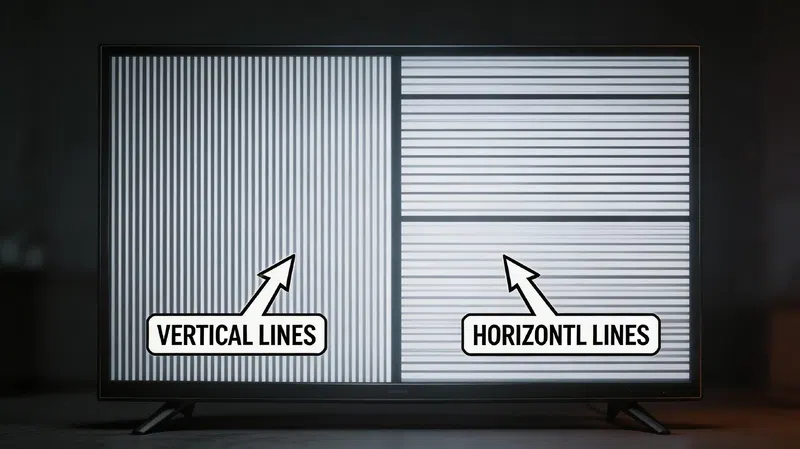
The TV repair cost conversation is more nuanced than most people realize, and the direction of those lines — vertical versus horizontal — tells you almost everything you need to know before calling anyone.
The Lines Tell You the Truth
This is the part that feels almost too simple, but it’s genuinely the most useful diagnostic you can do without any tools. Look at the lines. Are they moving, swaying, flickering slightly? That’s actually good news. Wavy or shifting lines almost always point to a loose cable connection — either an HDMI you’ve bumped or an internal ribbon cable that’s come slightly unseated. That’s a zero-dollar fix in many cases.
The direction of the failure is the most honest thing your TV will ever tell you.
Vertical lines that are static and solid suggest a timing controller board issue — the component that translates video data into the precise signals your pixels need. That’s a serviceable part. Horizontal lines, though, are a different story. In most cases, horizontal lines indicate damage at the panel substrate level — the actual LCD glass. There’s no board swap that fixes that. It’s the screen itself.
| Line Type | Likely Cause | Typical Repair Cost | Verdict |
|---|---|---|---|
| Wavy / Moving | Loose HDMI or ribbon cable | $0 – $30 (self-fix) | Repair |
| Vertical / Static | T-Con board or ribbon cable failure | $40 – $200 | Repair |
| Horizontal / Static | Panel substrate damage (LCD glass) | $200 – $600+ | Replace |
| Flickering + Pressure-sensitive | COF / Tab Bond failure (heat damage) | Not reliably fixable | Replace |
| Black screen, audio present | T-Con board or backlight failure | $50 – $180 | Diagnose first |
Before You Spend Anything: The Cold Boot
There’s a step most people skip because it sounds too basic. Unplug the TV directly from the wall — not from a power strip, not from a surge protector. Then find the physical power button on the TV chassis itself (not the remote), and hold it down for about 30 seconds. This drains the residual charge from the internal capacitors. Then wait. Not two minutes — closer to 30. Then plug back in.
This clears corrupted firmware states that can mimic hardware failure convincingly. It costs nothing. It won’t always work, but when it does, you’ve just avoided a diagnostic fee and several days of anxiety. I used to think this was the kind of advice that only lived in forum threads posted by people who clearly had too much time. I was wrong about that.
The T-Con Board: The Most Misunderstood Fix
What it actually does
The Timing Controller board — everyone calls it the T-Con — is the component that converts video signal from the mainboard into the precise timing pulses that tell your pixels when to open and close. When it starts failing, it usually shows up as vertical bars, ghosting, image duplication, or a completely black screen despite audio playing normally. These symptoms get misread constantly, and people assume the panel itself has died.
When it makes financial sense to replace it
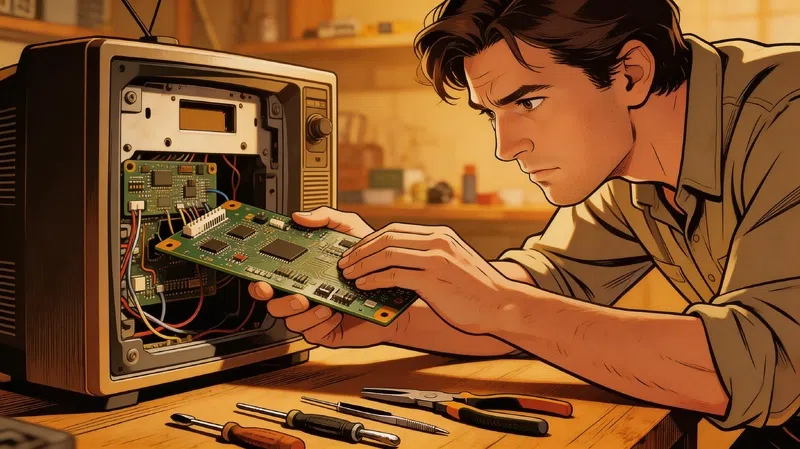
A T-Con board for most mid-size 55-inch sets lands between $50 and $150 in the US. For larger panels or premium brands, you might push toward $200. That’s a meaningful repair if your TV originally cost $800 or more, and it’s often something a reasonably handy person can swap themselves — the boards are usually secured with a few screws and connected via ribbon cables that clip in and out. iFixit’s TV repair guides walk through the process in reasonable detail.
The scenario to watch out for: a technician recommending a T-Con swap for horizontal lines. That’s the wrong diagnosis. T-Con replacements address signal processing problems — they can’t fix physical damage to the glass substrate. If someone is quoting you a T-Con repair for lines that run horizontally across your screen, get a second opinion.
The Pressure Test for Tab Bond Failures
If you have thin vertical lines and the T-Con replacement didn’t resolve them — or you want to diagnose before buying parts — there’s a simple physical test. Gently press the plastic bezel of the TV frame near where the lines originate. Not hard, just light pressure. If the lines flicker, shift, or temporarily disappear under pressure, you’re dealing with what’s called a COF failure — a Chip on Film connection where the processor bonds to the glass. These are factory-soldered micro connections and they’re not serviceable by conventional repair shops.
If the lines don’t respond to pressure at all, the issue is almost certainly the T-Con board or a removable ribbon cable. Both of those are fixable.
The 25% Rule — A Simple Financial Filter
When a repair quote comes back, there’s a straightforward way to evaluate it. If the total TV repair cost exceeds 25% of what the television originally cost, the math stops making sense — particularly for mid-range sets. At that threshold, you’re putting significant money into a product that is already aging, and the repair isn’t extending its life in any meaningful warranty-backed way.
Quick example: A TV that cost $600 new. If a mainboard replacement quotes you $160 or more, you’re at or above the 25% threshold. At $120 or under, it often makes sense to repair — especially if the panel itself is fine and the set is less than four years old.
According to Consumer Reports, repair typically makes the most sense for sets under three years old with a clearly isolated component failure. Once you’re past five years and the fault is in multiple systems simultaneously — power board, mainboard, backlight driver — replacement usually wins on both economics and practicality.
Environmental Damage: The Variable Nobody Plans For
Water damage is worth a separate mention because the timing of the response is genuinely the determining factor. Moisture from humidity, a cleaning spray that got somewhere it shouldn’t, or an actual spill near the ventilation slots — if a technician can get to it quickly, corrosion on the panel connectors can often be cleaned and the unit saved. Wait more than a day or two and the oxidation spreads. What was a moderate repair becomes a total write-off.
Lightning strikes and power surges are a different category entirely. A direct surge tends to take out the power supply and the mainboard simultaneously, which puts most sets well past the 25% threshold in one hit. The U.S. Department of Energy recommends a quality whole-home or point-of-use surge protector not just for televisions but for all sensitive electronics — the cost of a good protector is genuinely minor compared to a single repair bill from a surge event.
The hard truth is that most people only think about this after the fact. I count myself in that group. It wasn’t until a neighbor had her whole entertainment setup fried by a summer storm that I actually went and bought a proper rated protector instead of the cheap power strip I’d been running everything through for three years.
Whether your screen is actually dead or just wounded — that’s a question worth answering slowly, with the TV unplugged, before anyone touches a credit card.