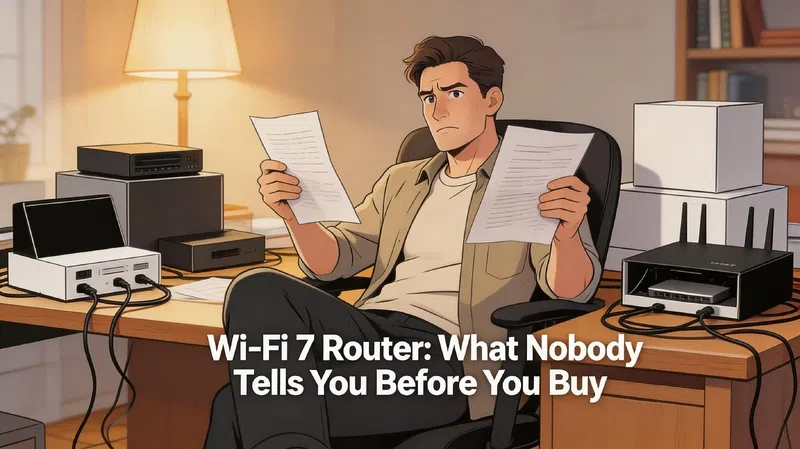

I spent way too long last month looking at router spec sheets. Not because I enjoy it, but because I was trying to figure out if upgrading actually made sense for my house. And somewhere around the fourth or fifth product page, I realized most of the marketing language was designed specifically to confuse people into buying the wrong thing.
So here’s what I actually learned.
Wi-Fi 7 Is Real, But So Is the Hype
The technology itself is genuinely impressive. A Wi-Fi 7 router running proper tri-band hardware can hit combined throughput scores around 3,169 Mbps in lab conditions, compared to roughly 1,309 Mbps from Wi-Fi 6E. That’s not a small gap. At 50 feet from the router, which is a realistic distance in a medium-sized home, Wi-Fi 7 holds around 515 Mbps while Wi-Fi 6 starts dropping off to about 383 Mbps.
The numbers are real.
But the numbers only matter if you buy the right hardware, which, it turns out, a lot of people don’t.
The Dual-Band Trap Nobody Warns You About
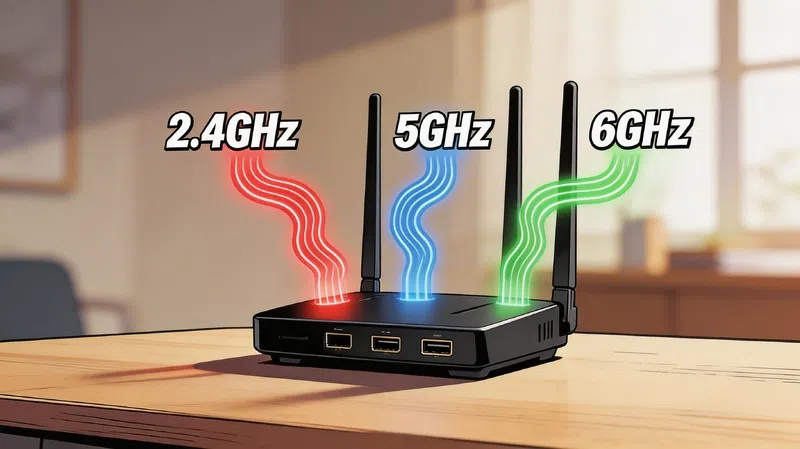
This is the thing that frustrated me most during my research. Some routers are being marketed as Wi-Fi 7 while only supporting two bands: 2.4 GHz and 5 GHz. No 6 GHz band. And the 6 GHz band is essentially the entire reason to upgrade to Wi-Fi 7 in the first place.
Dual-band Wi-Fi 7 routers perform nearly identically to high-end Wi-Fi 6 hardware in real-world tests. Occasionally they even perform worse than Wi-Fi 6E models that do include 6 GHz access. So you’re paying for a “Wi-Fi 7” label on a box that doesn’t give you anything Wi-Fi 7 actually promises.
If you see a Wi-Fi 7 router priced under $100 and labeled “dual-band,” that’s the trap.
What Actually Makes Wi-Fi 7 Different
Multi-Link Operation Is the Real Game Changer
MLO allows a device to send and receive data across all three frequency bands at the same time, rather than picking one and sticking with it. If the 5 GHz band gets congested, traffic shifts seamlessly. Latency drops. Connections stabilize. For anyone doing cloud gaming, video calls, or running a lot of smart home devices simultaneously, this is genuinely useful, not just a spec sheet boast.
But here’s something the product listings rarely mention: the architecture underneath MLO matters enormously. Routers using a single-MAC implementation have shown up to 50% better throughput in controlled testing compared to routers using a multi-MAC setup. Tom’s Guide covers this in their router testing methodology and it’s worth understanding before you pick a chipset.
320 MHz Channels and 4K-QAM
The 6 GHz band in Wi-Fi 7 supports channel widths up to 320 MHz, which is double what Wi-Fi 6E offered. Think of it as a highway suddenly gaining extra lanes. More lanes means more data moving simultaneously.
On top of that, 4K-QAM packs roughly 20% more data into each signal compared to the 1024-QAM in Wi-Fi 6. It’s incremental in isolation, but combined with wider channels and MLO, the effect compounds.
Spectrum Puncturing
This one’s subtle but useful. If interference from an older device occupies a small part of a wide channel, older standards had to abandon the whole channel and drop to a narrower one. Wi-Fi 7 can carve out just the affected slice and keep the rest of the wide channel operational. In a crowded home or apartment building, this matters more than people realize.
Which Router Is Actually Worth Buying
Here’s a simplified breakdown based on real 2026 lab performance data. I’ve skipped models with known firmware problems or subscription traps.
| Use Case | Recommended Model | Why It Stands Out | Approx. Price |
|---|---|---|---|
| Best Overall Value | TP-Link Archer BE550 | Best price-per-Mbps in testing, all 2.5G ports, tri-band | $200–$250 |
| Best Raw Speed | Netgear Nighthawk RS700S | Consistently highest wireless speeds, 6GHz hits 2,668 Mbps | ~$400 |
| Best All-Rounder | ASUS RT-BE96U | Dual 10G ports, no subscription fees, AiMesh support | ~$350 |
| Best for Gaming | TP-Link Archer GE800 | Dedicated gaming port, SFP+ support, hardware acceleration | $400–$500 |
| Best Large Home Mesh | ASUS ZenWiFi BQ16 Pro | Benchmarked above 3.5 Gbps, 10G WAN/LAN | ~$1,100 (2-pack) |
| Budget Entry Point | TP-Link Archer BE3600 | Under $100, dual-band only, acceptable for small apartments | Under $100 |
For large homes, mesh systems have become the smarter choice over a single powerful router. The RTINGS router testing page has solid real-world range data if you want to compare coverage footprints before committing.
The Subscription Fee Problem Nobody Budgets For
This caught me off guard when I started adding things up. Some manufacturers sell you a router and then lock the features you thought were included behind an annual subscription.
Advanced parental controls, threat protection, VPN management. Things that used to come standard are now often paywalled. Depending on the brand, that subscription can run $30 to $100 per year. Over five years, that’s potentially $500 added to the cost of a router you already paid $250 for.
ASUS and Ubiquiti include these features for the life of the product with no recurring fees. Netgear and certain TP-Link lines do not. Worth knowing before you pick a brand.
Does Your Setup Actually Support Wi-Fi 7
Buying a Wi-Fi 7 router doesn’t automatically upgrade your whole network. The devices connecting to it need to support the standard too, otherwise they connect at whatever speed their hardware allows.
Flagship phones from 2024 onward generally support it: iPhone 16 and newer, Google Pixel 8 and 9, Samsung Galaxy S24 through S26. Interestingly, some Samsung models from 2023 have Wi-Fi 7 hardware sitting unused in the device because the firmware disables it to maintain consistency across regional variants. So checking your specific model matters more than assuming based on the series name.
On the computer side, Windows 11 supports Wi-Fi 7 natively. Windows 10 does not.
And then there’s the internet connection itself. If your plan tops out at 200 Mbps, a Wi-Fi 7 router gives you almost nothing in terms of download speeds. The standard starts showing real benefits at 500 Mbps and above. For households already on a 1 Gbps or multi-gigabit plan, it’s a legitimate future-proofing investment. HowToGeek has a practical breakdown of what connection speeds you actually need to notice the difference.
When Upgrading Actually Makes Sense
If you have a Wi-Fi 5 router that’s more than four years old, almost any modern router is an upgrade worth making. If you’re on Wi-Fi 6 already and your internet plan is under 500 Mbps, the honest answer is that you probably won’t feel much difference in day-to-day use.
But honestly, that’s not always the case for everyone. Homes with 10 or more connected devices, frequent video calls across multiple rooms, or anyone doing latency-sensitive work from home will feel the stability improvements from MLO even before hitting any speed ceiling.
The Wirecutter router buying guide is still one of the most grounded places to cross-check recommendations if you want a second opinion before spending.
The technology is genuinely mature now. The market just needs buyers to slow down long enough to read past the label on the box.
❓ FAQs About Wi-Fi 7 Routers
Q: Is a Wi-Fi 7 router worth buying in 2026?
A: For most homes, yes, especially if you’re upgrading from Wi-Fi 5 or older. The performance gap is significant, and tri-band models are now available under $250. If you’re already on Wi-Fi 6E with a fast internet plan, the upgrade is less urgent but still noticeable for multi-device households.
Q: What is the dual-band Wi-Fi 7 trap?
A: Some routers are marketed as Wi-Fi 7 but only include 2.4 GHz and 5 GHz bands. Without the 6 GHz band, these routers perform almost identically to Wi-Fi 6 hardware. Always confirm a router is tri-band before buying if you want the actual Wi-Fi 7 experience.
Q: Do I need a new internet plan to use Wi-Fi 7?
A: Not strictly, but your current plan limits what you’ll actually feel. Wi-Fi 7’s speed advantages become meaningful at 500 Mbps and above. On a 100 Mbps plan, you’ll see better stability and device handling but not faster downloads.
Q: Which devices are compatible with Wi-Fi 7?
A: Most flagship smartphones from 2024 onward support it, including iPhone 16 and newer, Google Pixel 8/9, and Samsung Galaxy S24 through S26. On laptops, Windows 11 supports it but Windows 10 does not. Check your specific device model rather than assuming by brand.
Q: Are there hidden costs with Wi-Fi 7 routers?
A: Some brands lock security features and parental controls behind annual subscriptions ranging from $30 to $100. ASUS and Ubiquiti generally include these features for free. Factor this in before comparing prices on paper.
Q: What is MLO and why does it matter?
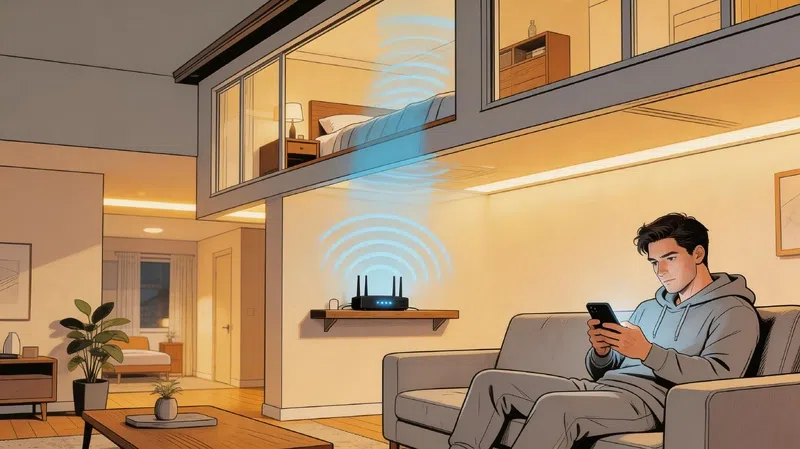
A: Multi-Link Operation lets your router and device communicate across multiple frequency bands at the same time instead of choosing one. This reduces latency and improves connection stability, especially in homes with many devices or thick walls creating dead zones.
Q: Is a mesh system or a single router better for Wi-Fi 7?
A: For homes under 1,500 square feet, a single strong router is usually fine. For larger homes or multi-floor layouts, a mesh system with a wired or MLO backhaul connection between nodes will give you more consistent speeds throughout the house.