
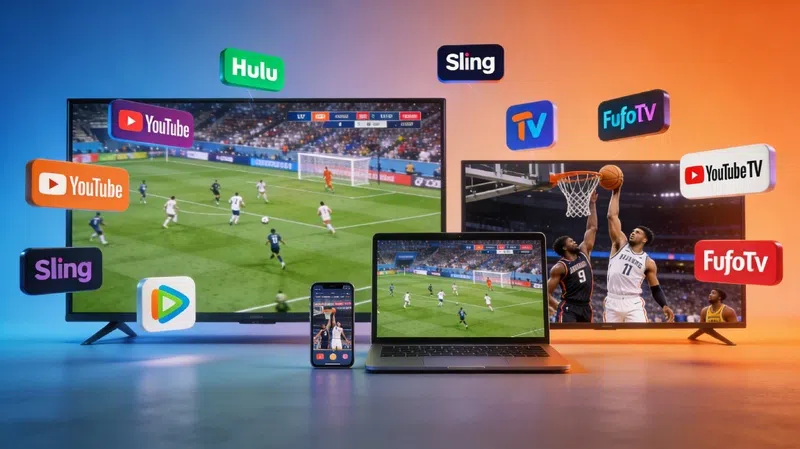
There’s a specific kind of frustration that comes from missing a playoff game because you cancelled cable three months ago and forgot to plan ahead. I’ve been there — twice, actually — and both times involved some scrambling that probably aged me a few years. The good news is that watching live NFL, NBA, and MLB games without a cable subscription is genuinely doable now. Not always cheap, but doable.
What You Actually Need Before Anything Else
A reliable internet connection is the obvious starting point, but “reliable” here means more than just being able to stream Netflix. Sports are unforgiving — buffering during a fourth-quarter drive feels almost personal. You want at least 15–25 Mbps dedicated to the stream, maybe more if other people in the house are online simultaneously.
The device question matters more than most guides admit
Smart TVs, Roku sticks, Fire TV, Apple TV, phones — any of these technically work. But in my experience, the Roku and Fire TV ecosystems tend to handle sports apps more consistently than budget smart TVs with their clunky built-in software. If you already have something, start there. Buying new gear just to stream is rarely necessary right away.
The Apps That Actually Cover NFL Games
The NFL situation is probably the most complicated of the three sports, which feels unfair given how popular it is. For regular season games, a combination of the NFL app (for locally broadcast games), Peacock, and ESPN+ can cover a decent chunk of the schedule. Thursday Night Football went to Prime Video a few years back, and that one’s straightforward if you already have Amazon Prime.
Sunday Ticket changed things, but not for everyone
YouTube TV picked up NFL Sunday Ticket, which is the key to out-of-market games on Sundays. It’s not cheap — often runs $350-plus per season — but if your team isn’t local, it becomes almost mandatory. You can get it standalone without subscribing to YouTube TV’s base plan, which is worth knowing. Whether it’s worth the price really depends on how serious you are about following a specific team.
Streaming NBA Games Without Overpaying
The NBA has gotten a bit easier in recent years, at least from a streaming perspective. NBA League Pass is the dedicated option for out-of-market games, and it often goes on sale during the season — this tends to happen around the holidays and sometimes mid-season when the league quietly discounts it. Local games, though, are still tied to regional sports networks, which is where things get messy.
Regional sports networks remain the annoying exception
If your team has local games on a regional sports network, you’ll likely need a live TV streaming service like YouTube TV, Hulu + Live TV, or DirecTV Stream. These run $70–80 per month at this point, which is… a lot, honestly. It’s worth checking which RSNs each service carries in your area before committing, because the channel lineups vary by zip code in ways that feel almost deliberately confusing.
Getting MLB Games on a Streaming Setup
Baseball fans have MLB.tv, which is genuinely one of the better league-owned streaming products out there. Full game archives, multi-game views, decent mobile apps. The catch is the same as always: local blackouts. Games played by your home team are blacked out on MLB.tv within a certain radius, which pushes you back toward a live TV service or an antenna for over-the-air broadcasts.
An antenna is underrated and people forget about it
A basic indoor antenna picks up local ABC, CBS, NBC, and Fox affiliates, and some of the biggest games — Monday Night Football, the Super Bowl, NBA Finals games on ABC — air on those channels. Antenna quality varies wildly by location. I’ve had one work brilliantly in one apartment and pick up almost nothing in another a few miles away. Worth trying before spending money on anything else, but that’s not always the case depending on where you live.
Putting Together a Setup That Actually Works
Most people end up with some combination of a streaming service for live TV, a league-specific app for out-of-market games, and maybe an antenna for big broadcasts. There’s no single perfect solution, which I find mildly annoying but also understandable given how fragmented sports rights are. A realistic monthly cost for someone who wants NFL, NBA, and MLB covered might be $60–100 depending on what you prioritize and what you’re willing to miss.
Trial periods are worth actually using
Most of these services — Hulu + Live TV, YouTube TV, FuboTV — offer free trials that typically run five to seven days. Signing up strategically around a big game weekend is perfectly reasonable. FuboTV tends to carry more sports-focused channels and is sometimes overlooked in favor of the bigger names, but it often has better regional coverage for certain markets. Running two trials back to back to compare the interfaces and channel lineups isn’t a bad approach before committing to anything.
The honest version of all this is that sports streaming in the US still feels like it was designed by people who didn’t fully want it to work — rights are fragmented, blackout rules are outdated, and prices keep creeping up. But the tools are there, more or less, if you’re willing to piece them together.