

I’ll be upfront — I bought my first smart plug thinking it was one of those things I’d use for a week and forget about. It’s sitting in my living room right now, still running. That surprised me more than anything else about the whole experience.
But before I get into whether they’re actually worth it, let me explain what these things even do, because there’s a lot of confused marketing noise around them.
So What Exactly Is a Smart Plug?
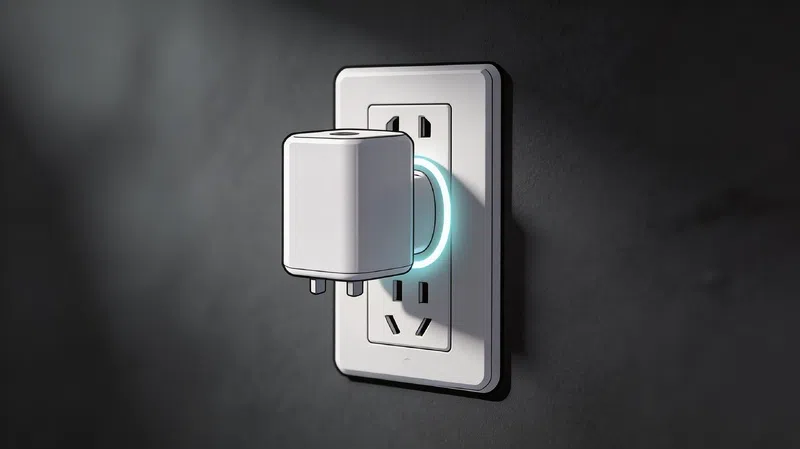
It’s a small adapter. That’s it. You plug it into your wall outlet, plug your lamp or coffee maker into it, and suddenly that dumb appliance gets a little smarter. You can control it from your phone, set schedules, or tell your voice assistant to handle it.
The device itself doesn’t do anything magical. It just controls whether electricity flows through it or not.
No Hub, No Problem (Usually)
Most beginner-friendly smart plugs connect directly to your home Wi-Fi — specifically the 2.4 GHz band, not the 5 GHz one. That trips people up a lot during setup. If your router broadcasts both frequencies with the same name, you might need to temporarily separate them before pairing.
There are also hub-required models using Zigbee or Z-Wave protocols, and newer ones built around Matter and Thread — a newer standard designed to make devices from different brands actually talk to each other without drama. Honestly, for most people starting out, a simple Wi-Fi plug is fine. The Thread stuff is better long-term but costs more and the ecosystem is still maturing.
The One Thing That Actually Sold Me: Phantom Load
Here’s something that genuinely caught my attention. Devices that appear to be “off” — TVs, game consoles, printers, that old microwave with the clock — they’re still drawing power. It’s called phantom load, or sometimes standby power, and according to the U.S. Department of Energy, it can account for 5–10% of a household’s electricity bill.
That adds up. A single device pulling 5 watts on standby — something completely invisible to most people — costs roughly $6–7 a year. Multiply that across 10 or 15 devices sitting around your home and you’re looking at somewhere between $75 and $150 walking out the door every year, silently, for nothing.
Smart plugs cut that completely. You can schedule them to fully cut power at night or use a single tap to kill everything on a power group.
I used to think this was overblown. It’s not.
Does the Smart Plug Itself Use Power?
Fair question. Most draw about 1–2 watts when active, less than 1 watt on standby. So yes, there’s a small cost to running them — but it’s nowhere near what you’d save on devices like TVs and consoles.
The Space Heater Problem (Please Read This Part)
This comes up constantly, and the answer is not what people want to hear.
A typical space heater runs at 1,500 watts. That pulls around 12.5 amps continuously. Many standard smart plugs are only rated for 10 amps. Plug a heater into one of those and you’re not being clever about saving energy — you’re potentially melting plastic and creating a fire hazard. This isn’t hypothetical. It happens.
If you genuinely need to automate a high-draw appliance, you need a plug specifically rated for 15A or 16A, with UL or ETL certification. Even then, running a heater unattended through a smart plug defeats the built-in safety switches those heaters have — like tip-over protection. Not worth it.
Stick to lamps, fans, phone chargers, and small kitchen appliances. That’s the sweet spot.
What You Can Actually Do With One
The scheduling feature alone is underrated. Setting a kettle to turn on when your alarm goes off, or cutting power to a gaming console after two hours — these are the kinds of small automations that make daily life slightly less annoying in ways that are hard to explain until you’ve tried them.
Some smart plugs with energy monitoring also send alerts when an appliance finishes its cycle. Your washing machine drops below 1 watt? Phone notification. Walk over and unload it before it starts smelling damp. That single thing has saved me more aggravation than I expected.
The “Away Mode” feature — where the plug randomly turns lights on and off to simulate someone being home — is either reassuring or slightly paranoid depending on your personality. I use it. No judgment either way.
Protocol Comparison: Which Type Should You Buy?
| Protocol | Response Speed | Works Without Internet | Best For |
|---|---|---|---|
| Wi-Fi (2.4 GHz) | Moderate | ❌ Usually no | Beginners, single-room setups |
| Zigbee | Fast | ✅ Yes (needs hub) | Professional installs, large homes |
| Thread | Very Fast | ✅ Yes (local-first) | Modern smart homes, Matter ecosystems |
| Matter (layer) | N/A | ✅ Yes | Cross-brand interoperability |
Wi-Fi plugs are the easiest starting point. Thread-based ones are the smarter long-term investment if you’re planning to expand your setup — they don’t depend on a cloud server staying online, and they respond faster. But for a single plug to handle your lamp and coffee machine? Wi-Fi is completely fine.

What to Check Before You Buy
The amp rating matters more than most product listings make obvious. Check the label on the side of the plug — not the marketing headline on the box. For lamps and phone chargers, 10A is fine. For anything with a motor or heating element, go 15A minimum. Make sure it lists UL, ETL, or your regional safety certification.
Physical size is another thing people overlook. Some smart plugs are bulky enough to block the second socket on a duplex outlet. Look for slim or angled designs if that matters to your setup.
One feature that sounds boring but actually matters: Resume Last State. After a power outage, some plugs turn on by default, some turn off, and some remember what they were doing before. If you’re automating something sensitive, that default behavior can cause problems.
And please — don’t plug a smart plug into a power strip. Wall outlet only. It’s in every safety manual for a reason, and it’s the kind of thing people skip until something goes wrong.
Are They Actually Worth It?
For most households, yes — but not for the reasons usually marketed. The voice control and remote access features are nice, but the real value is quieter: cutting standby waste, building small automations that reduce friction, and just having visibility into what’s actually running in your home.
The Natural Resources Defense Council estimates that idle load from devices accounts for a significant chunk of residential electricity use in the US alone. Smart plugs are one of the cheapest tools available to address that — and unlike most “smart home” upgrades, they don’t require rewiring anything or calling an electrician.
Whether one actually changes your habits or ends up forgotten behind the couch — that part’s on you.
For a broader look at home energy monitoring options, Energy Star’s product finder is a decent starting point if you want certified devices that meet efficiency standards.