
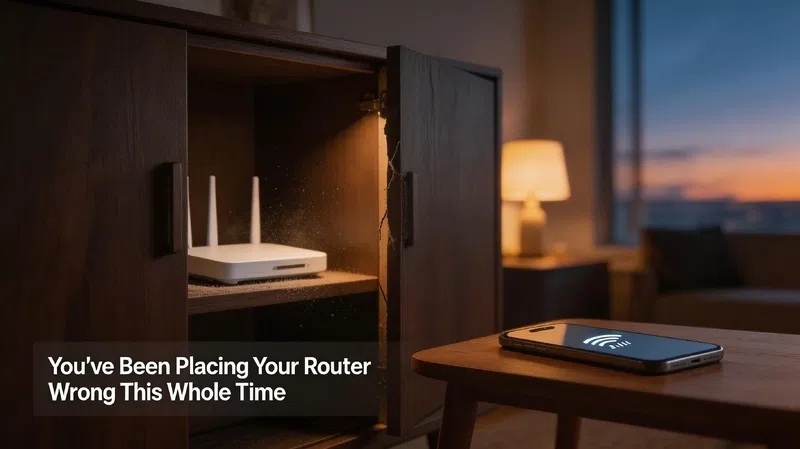

There’s this cabinet in my old apartment — dark wood, two shelves, tucked into the corner of the living room. It looked clean. Organized. And for two years I kept the router inside it because, honestly, the blinking lights were annoying at night and the cables felt like an eyesore.
The internet was terrible, and I blamed the provider every single time.
It wasn’t the provider.
The Invisible Problem With “Out of Sight”
Most people treat their router like something to be hidden. And I get it — it’s not exactly a decorative piece. But the moment you stuff it inside a cabinet, slide it behind the TV, or shove it in a closet near the front door because “that’s where the cable comes in,” you’ve already made the single biggest mistake.
Wi-Fi signals radiate outward in all directions — kind of like a sphere, though not a perfect one. Walls absorb signal. Wood absorbs it. Concrete practically eats it. So hiding the router doesn’t just make it look neater — it physically throttles the signal before it even reaches your couch.
The cabinet was, in effect, a cage.
Elevation Actually Matters More Than People Realize
I used to think the height of the router was a minor detail. Like, surely it doesn’t matter if it’s on the floor versus on a shelf, right?
It does. A lot, actually.
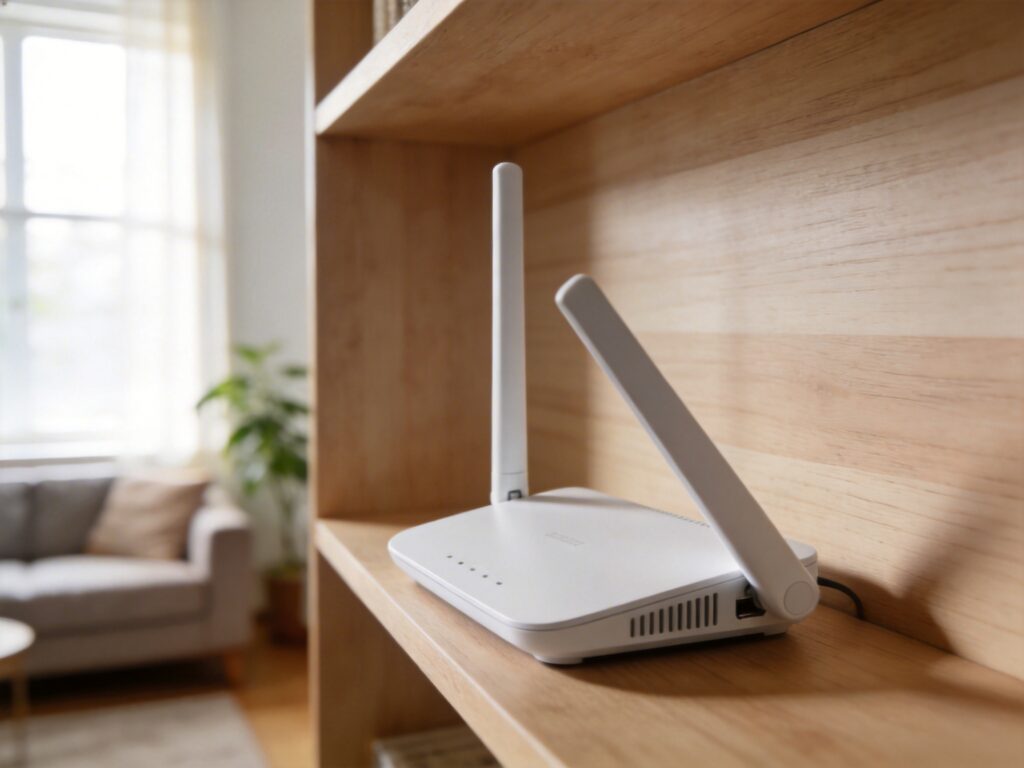
Routers placed on the floor lose a significant chunk of signal downward into the ground — which helps nobody. Placing it higher up, like on a bookshelf or mounted on a wall, lets the signal spread more evenly across the horizontal space where people actually are. Living room, bedroom, kitchen — all roughly the same floor level. The router should be as close to that plane as possible, or slightly above it.
Not on the floor next to the modem because the cable barely reaches.
Centrality Is the Whole Game
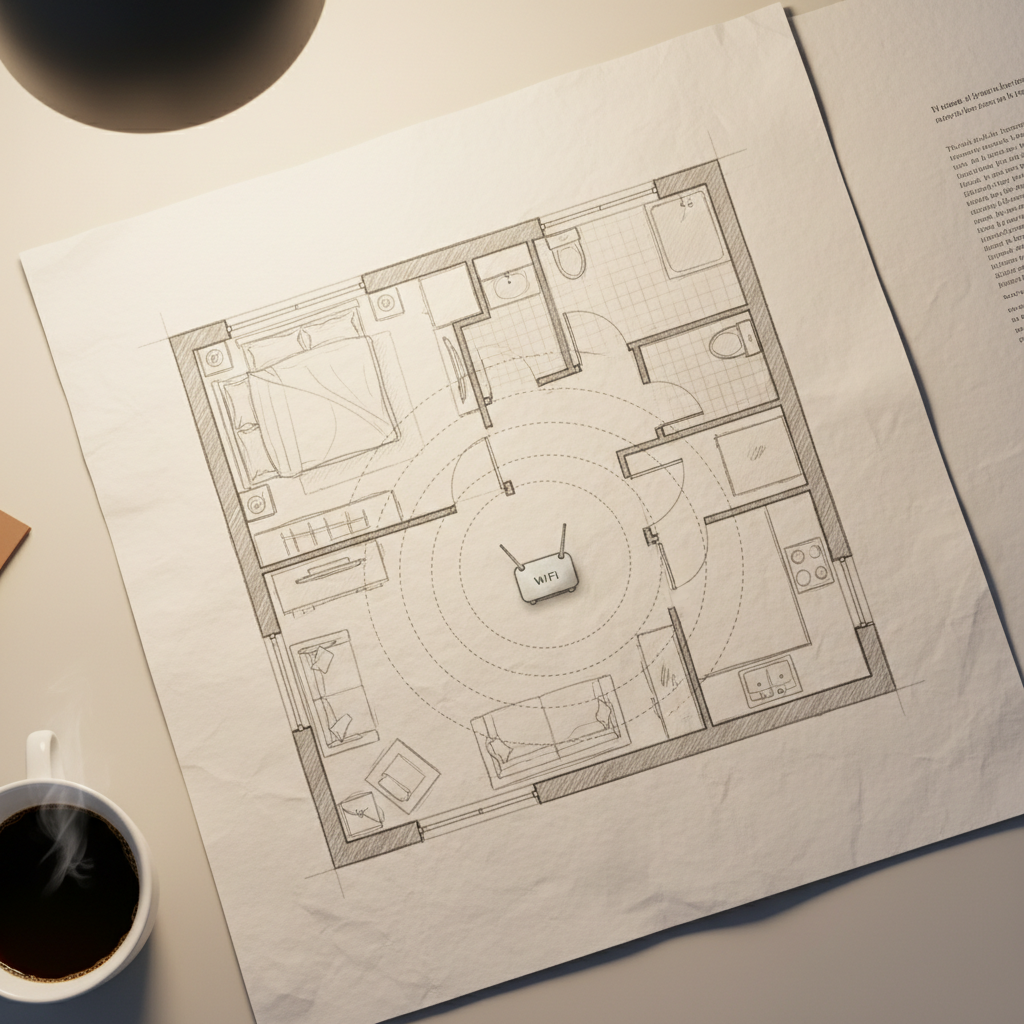
Here’s the thing that took me embarrassingly long to understand: the router doesn’t care about your floor plan preferences. It just broadcasts outward equally in every direction (more or less). So if you put it at one end of the house — near the front door, in the utility room, in the garage — half of that signal is blasting into the street or the neighbor’s yard.
Put it as close to the center of your home as the cabling allows.
I know that’s not always possible. Cable entry points are where they are, and sometimes running a cable across the house feels like a renovation project. But even moving the router 10 or 15 feet closer to center can make a real difference in the rooms that always felt “weak.”
The Kitchen and Bathroom Problem
Appliances interfere. Microwaves, in particular, operate on the 2.4GHz frequency — the exact same band that older routers and many smart devices use. Running the microwave while someone’s on a video call in the next room? That’s not a coincidence.
Keep the router away from the kitchen if you can. Same goes for bathrooms — water is surprisingly effective at absorbing radio signals, and a bathroom wall packed with plumbing is not a great neighbor for a router.
Antennas: The Part Nobody Adjusts
If your router has external antennas, there’s a decent chance they’re all pointed straight up. That’s the default position they ship in, and most people never touch them.
Point one antenna vertically and one horizontally.
The reason is a bit technical, but the short version is: vertical antennas send signal horizontally (good for same-floor coverage), and horizontal antennas send signal vertically (better for multi-floor homes). Having a mix means you’re covering more angles overall.
It’s a small thing. But small things add up when your signal is already marginal.
What About the 5GHz Band?
Most modern routers broadcast on both 2.4GHz and 5GHz simultaneously. The 5GHz band is faster but travels shorter distances and struggles more with walls. The 2.4GHz band is slower but reaches further and penetrates obstacles better.
In my experience, devices that are far from the router — or separated by a couple of walls — do better on 2.4GHz, even if it feels counterintuitive to manually connect to the “slower” band. Devices that are close? Let them use 5GHz. Some routers handle this automatically. Others leave it up to you.
It’s worth knowing which situation you’re in.
The Devices You Forgot Are Competing
Here’s something that doesn’t get talked about enough: every device connected to your network is taking up bandwidth and, in some cases, actively cluttering the airwaves. Old smart bulbs, forgotten tablets, that one printer you set up in 2019 and haven’t touched since — they’re all still pinging the router periodically.
This doesn’t directly relate to placement, but it does affect performance in ways that make people blame placement when the real issue is congestion.
One More Thing People Get Consistently Wrong
Rebooting the router. Not when it breaks — regularly. Every few weeks, honestly.
Routers accumulate something called “memory bloat” over time — they’re small computers running constantly, and they get sluggish. A two-minute reboot clears that out. It won’t fix bad placement. It won’t double your speed. But it’s one of those things that makes a quiet 10–15% difference that you only notice in its absence.
I used to think rebooting was something you did when the internet went down completely. Turns out it’s more like maintenance. Like clearing the cache on a phone you’ve been ignoring for six months.
There’s probably a router somewhere in your house right now that hasn’t been rebooted since the last time your power went out. And honestly — after reading this — that might be the first thing worth fixing tonight, before you rearrange any furniture.