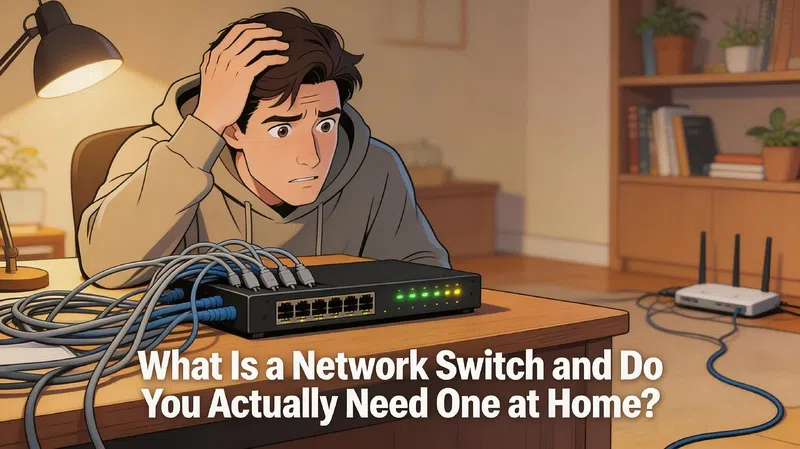

My router has four Ethernet ports. For years, that was plenty. Then came the desktop, the second desktop, the NAS drive, the smart TV, the game console, and whatever else got plugged in during lockdown. At some point I just started using one of those cheap unmanaged network switches I’d bought years earlier without really understanding what it did.
It worked. I never questioned it.
Then someone asked me to explain the difference between a switch, a router, and a hub, and I realized I couldn’t do it without pausing for an embarrassingly long time. So here’s what I actually learned.
The Three Boxes People Confuse
Most homes have one of these. Some have two. Almost nobody has all three, and that’s fine, but understanding the difference makes everything else click.
Hubs: Basically Obsolete
A hub is a repeater. You plug four devices into it, and when one device sends data, the hub shouts it to all four ports simultaneously. Every device sees every packet, even the ones not meant for it. The devices themselves have to sort out what’s relevant.
This creates collisions. And congestion. And general inefficiency.
You almost never see hubs in new hardware anymore. If someone tries to sell you one, walk away.
What a Network Switch Actually Does
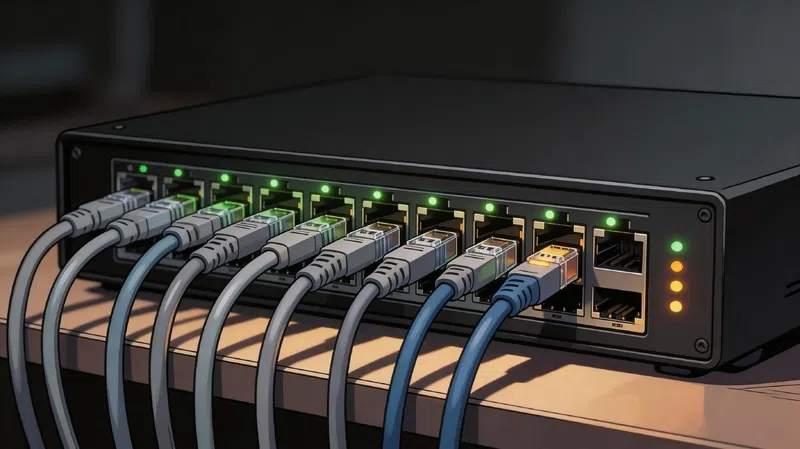
A network switch is smarter. When it receives data from one device, it doesn’t broadcast it everywhere. It looks up the destination hardware address in its internal memory table and sends the data only to the correct port. Point to point. Private. Fast.
This matters more than it sounds. In a house with multiple heavy users, a switch means your file transfer to the NAS doesn’t create lag for everyone else.
The Router Is a Different Thing Entirely
Routers handle the connection between your home network and the internet. That’s their actual job. They manage IP addresses, handle security, do Network Address Translation so your ten devices can share one public address, and generally act as the gatekeeper between your stuff and the outside world.
A switch can’t do any of that. A switch only manages traffic between devices that are already on your network.
People mix these up because modern routers almost always include a built-in 4-port switch. That’s just a convenience feature. They’re still two fundamentally different things doing fundamentally different jobs.
Hub vs Switch vs Router: A Quick Reference
Before going further, this table is worth having in front of you:
| Feature | Hub | Network Switch | Router |
|---|---|---|---|
| How smart is it? | Not at all | Moderately | Very |
| What address does it use? | None (broadcasts everything) | MAC address | IP address |
| Who gets the data? | Everyone | Only the right device | Routed across networks |
| Can it connect you to the internet? | No | No | Yes |
| Transmission style | Half-duplex (one at a time) | Full-duplex (simultaneous) | Path-determined |
| Where does it belong in your setup? | Nowhere, honestly | After the router | Between modem and everything else |
The “where does it belong” row is the one people get wrong most often.
Do You Actually Need One at Home?
Honestly, probably not. If your router’s four built-in ports are enough for your wired devices, a dedicated network switch adds nothing. Zero benefit.
But here’s when the answer changes:
You’ve Run Out of Ports
Modern households run out faster than expected. A gaming PC, a work laptop, a smart TV, a NAS, a console. That’s five devices and you’ve already exceeded a standard router’s capacity. A basic unmanaged switch plugged into one of your router’s LAN ports immediately expands that to eight, sixteen, or more ports depending on what you buy.
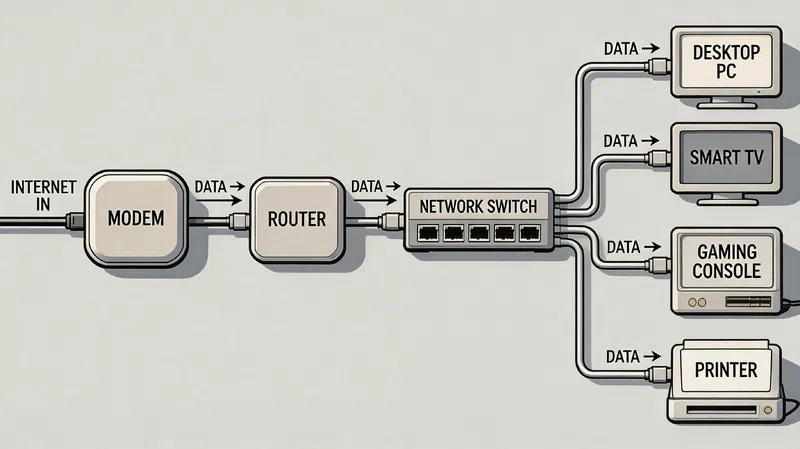
The connection sequence matters here. Modem first, then router, then switch plugged into one of the router’s LAN ports, then your devices into the switch. Never put a switch before the router. It has no security features, no IP management, nothing. Your devices would be exposed directly to the internet with no protection.
You Want to Run a Long Cable to Another Room
This is actually one of the most practical use cases, and in my experience, people don’t think of it this way. Run a single long ethernet cable from your router to a switch in your living room or bedroom. Then plug four or five devices into that switch locally. Clean, organized, no performance hit.
You’re Moving Heavy Data Between Local Devices
If you transfer large files between a PC and a NAS regularly, having that traffic handled by a dedicated switch means it doesn’t pass through your router at all. The router’s processor stays free. Local transfers are faster. It’s a small thing but it’s genuinely noticeable if you move files often.
Managed vs Unmanaged: Which One Do You Need?
For most homes, the answer is unmanaged. Plug it in. Done. No configuration, no interface to log into, no decisions to make.
Smart managed switches exist for people who want features like VLAN segmentation, which lets you create separate logical networks on one physical switch. For example, keeping your IoT smart home devices on a completely isolated segment from your main computers. Security-conscious users find this genuinely useful.
Quality of Service settings, where you tell the switch to prioritize gaming or video call traffic over background downloads, is another feature you only get on managed or smart managed hardware. For gaming households, this can reduce latency in meaningful ways.
TP-Link’s comparison of managed vs unmanaged switches covers this reasonably well if you want to go deeper on the managed side.
Power over Ethernet is another consideration. PoE switches deliver electrical power through the ethernet cable to devices like IP cameras, access points, or VoIP phones. If you’re building a home security camera system with wired cameras, a PoE switch removes the need for separate power cables at each camera location. That alone can simplify installation considerably.
A Few Practical Things Worth Knowing
Switches generate heat. Not dramatically, but enough to matter if you stuff one inside an unventilated TV cabinet alongside three other devices. Keep them somewhere with airflow. I’ve seen switches fail early almost entirely because of poor placement.
For home use, an unmanaged switch under $50 from a reputable brand is perfectly adequate. You don’t need to spend $200 unless you specifically need PoE or basic management features. Enterprise-grade managed switches exist at price points that make no sense for residential use, and the spec sheets will not tell you that. You have to know going in what you actually need.
Wirecutter’s guide to network switches covers specific model recommendations if you’re shopping.
For anyone curious about the deeper mechanics of how switches build their MAC address tables and learn your network over time, Cloudflare’s networking glossary has a solid technical breakdown that doesn’t require a computer science degree to follow.
The short version: your switch starts with an empty memory table, floods data to all ports until it learns which device lives on which port, then builds a map it uses for every subsequent transfer. It happens in seconds and you never see it happening.
FAQs About Network Switches
Q: Can a network switch replace my router? A: No. A switch handles traffic between devices already on your network. It has no internet connectivity features, no firewall, and no IP address management. Your router handles all of that. A switch works alongside a router, not instead of one.
Q: Does adding a switch slow down my internet speed? A: It shouldn’t. A modern switch handles data at gigabit speeds, which exceeds most home internet connections. The switch won’t create a bottleneck. If you notice slowdowns after adding one, the issue is almost certainly elsewhere in your setup.
Q: What’s the difference between a switch and a Wi-Fi extender? A: They solve different problems. A switch adds wired ports to your network. A Wi-Fi extender expands wireless coverage. They’re not interchangeable, though some people use a switch to connect a separate wireless access point to extend coverage in a more reliable way.
Q: Do I need a managed switch for smart home devices? A: Not necessarily. A basic unmanaged switch is fine for adding more wired devices. If you want to isolate your smart home devices on their own network segment for security reasons, a smart managed switch with VLAN support makes that possible without needing a second router.
Q: Can I daisy-chain two switches together? A: Yes, you can connect one switch to another. Performance stays stable for most home uses. Just avoid creating loops where Switch A connects to Switch B and Switch B connects back to Switch A. That creates a broadcast storm and kills network performance instantly.
Q: How many devices can a switch handle? A: Each port handles one wired device. An 8-port switch supports 8 devices, a 16-port switch supports 16, and so on. In practice, performance stays solid across all ports simultaneously as long as you’re not running unusually bandwidth-heavy tasks on every single device at once.