
Discover the cheapest ways to stream movies and TV shows in 2026. From free ad-supported platforms to budget bundles — we break it all down for you.

Let me paint you a picture. It’s Friday night. The kids are finally in bed (or at least pretending to be). You’ve got your snacks lined up, your partner’s next to you, and you’re ready to hit play on something good. Then you open your streaming apps — and suddenly you’re doing math. Netflix, Disney+, Hulu, Max, Paramount+… When did watching TV become a subscription management hobby?
If you’re a parent trying to keep the household budget sane while still giving the family access to great content, you’re not alone. The good news? 2026 is actually a fantastic year to be a budget-conscious streamer. There are more free, cheap, and bundle-friendly options than ever before. So let’s break it all down — no fluff, no filler, just real talk about how to stream smart without going broke.
1. Start With Free: The Best Ad-Supported Streaming Platforms
Here’s a truth that the streaming giants don’t exactly advertise: you can watch a ton of great content for absolutely free. Ad-supported streaming services — also called FAST (Free Ad-Supported Streaming TV) — have exploded in quality over the last few years.
The top free options in 2026 include:
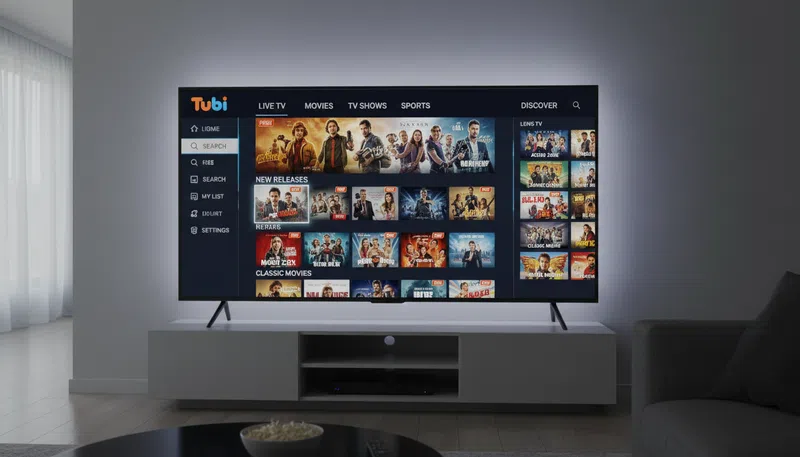
- Tubi — Massive library of movies, TV shows, and even some originals. Completely free.
- Pluto TV — Think cable TV vibes, totally free with live channels and on-demand content.
- Peacock (free tier) — NBC content, some sports, news, and movies with ads.
- Freevee (Amazon) — Amazon’s free, ad-supported library sitting right inside Prime Video.
- The Roku Channel — Great if you own a Roku device; surprisingly deep content library.
Yes, you’ll sit through some ads. But if your family watches 10 hours of TV a week and you’re paying zero dollars for it? That trade-off starts looking pretty attractive.
Are free or ad-supported streaming platforms worth it in 2026? Absolutely — especially for families who watch a broad mix of content and don’t need every new release the day it drops.
2. The Cheapest Paid Streaming Services (Ranked by Value)
Okay, so you do want a paid service — maybe for the kids, maybe for that one show everyone’s talking about. Here’s where things get strategic.
| Streaming Service | Starting Monthly Price | Best For |
|---|---|---|
| Peacock Premium | ~$7.99/month | NBC shows, sports, kids content |
| Paramount+ | ~$7.99/month | CBS, Nickelodeon, NFL, movies |
| Disney+ | ~$9.99/month | Kids, Marvel, Star Wars, Pixar |
| Netflix (Standard w/ Ads) | ~$7.99/month | Variety, originals, global content |
| Hulu (with ads) | ~$9.99/month | Current season TV, originals |
| Apple TV+ | ~$9.99/month | Prestige originals, smaller library |
| Max (with ads) | ~$9.99/month | HBO content, Warner Bros films |
The honest truth? You don’t need all of them. Pick one or two based on what your family actually watches, then rotate. Watch everything on one service for two months, cancel, move to the next. It’s called “subscription cycling” and it’s practically a sport at this point.
3. Bundles: Where the Real Savings Hide
This is where the magic happens for families. Streaming bundles let you stack services at a discount — sometimes saving you $10–$20 a month compared to buying separately.
The Disney Bundle (Disney+, Hulu, and ESPN+) remains one of the best deals in streaming. For around $16.99/month with ads, you get three services that cover kids entertainment, current TV, and sports. If your household has different tastes — cartoons for the little ones, live sports for the sports fan, and current dramas for you — this bundle quietly covers it all.
Verizon and some other carriers also bundle streaming services into phone plans, so worth checking if you’re already a subscriber. Same goes for Amazon Prime — if you’re already paying for Prime shipping, Prime Video is included, which is a genuinely solid service that often gets overlooked.
Which streaming service offers the most content for the price? For families, the Disney Bundle consistently delivers the most value — three services, massive content variety, and savings over buying separately.
4. Don’t Forget Your Library (Seriously)
This one blows people’s minds every time. Your local public library card can give you access to:
- Kanopy — Free art house films, documentaries, and kids content
- Hoopla — Movies, TV shows, comics, and audiobooks
No ads. No monthly fee. Just your library card. If you haven’t set these up yet, do it tonight. It takes five minutes and it’s completely free content that most people have no idea they’re entitled to.
5. The Right Streaming Device Makes a Huge Difference
Here’s something worth knowing: the device you use to stream affects your experience more than people realize. A $30 Roku Stick or Amazon Fire TV Stick 4K gives you a clean, unified interface to access all your streaming apps — including the free ones — without needing a smart TV that’s loaded with bloatware.
Insert image of Roku Stick and Amazon Fire TV Stick side by side here
Investing in a good streaming device once means you’ll have a faster, more organized streaming setup across all your apps. The Roku Stick is particularly great for families because it gives prominent placement to free content — so you’re always reminded of the zero-dollar options before defaulting to a paid app.
6. Building Your Cheapest Possible Streaming Stack
Let’s put it all together. Here’s a real-world example of a budget family streaming setup for 2026:
| What You Get | Cost |
|---|---|
| Tubi + Pluto TV (free) | $0 |
| Library card → Kanopy + Hoopla | $0 |
| Disney+ with Ads | ~$9.99/month |
| Netflix with Ads (rotate every 2–3 months) | ~$7.99/month |
| Total Monthly Cost | ~$18/month |
Compare that to someone subscribed to four or five services at full price — you could be looking at $60–$80/month. The difference is literally a car payment.
FAQs About Cheap Streaming in 2026
Can I watch 4K and HDR content on a budget? Yes — but you’ll usually need to be on a higher-priced tier. Netflix’s 4K plan costs more, and Disney+ 4K is included in their standard plans. Free services like Tubi are generally capped at HD.
Do streaming services offer live TV or sports streaming on a budget? ESPN+ at around $11/month is the most affordable dedicated sports option. Peacock covers NFL games on Sunday nights. For live TV broadly, YouTube TV and Hulu Live TV start around $73–$83/month, which isn’t “cheap” but beats a full cable package.
Which streaming services are best for families vs. individuals? Families get the most mileage from Disney+ (kids content), Netflix (variety), and the Disney Bundle. Individual users or couples often find Netflix or HBO Max more tailored.
How do I choose the right streaming platform for my region? Stick to major platforms like Netflix, Hulu, Disney+, and Amazon — these have robust US libraries. Some content varies by region, but for most US viewers, content availability is excellent across all the major services.
The Bottom Line
Streaming in 2026 doesn’t have to cost you a fortune. Between the free ad-supported platforms, smart bundling, your local library’s hidden perks, and a little subscription cycling discipline, you can keep the whole family entertained for well under $25 a month. The streaming wars have actually worked in your favor — services are fighting for your attention with free tiers, discounts, and bundle deals.
So the next time Friday night rolls around and everyone wants to watch something different, you’ll be ready. Snacks, couch, content — all without a single guilt trip about the credit card bill.
What’s your current streaming setup? Drop it in the comments — I’d love to see how other families are hacking their streaming budget in 2026.
Last updated: March 2026